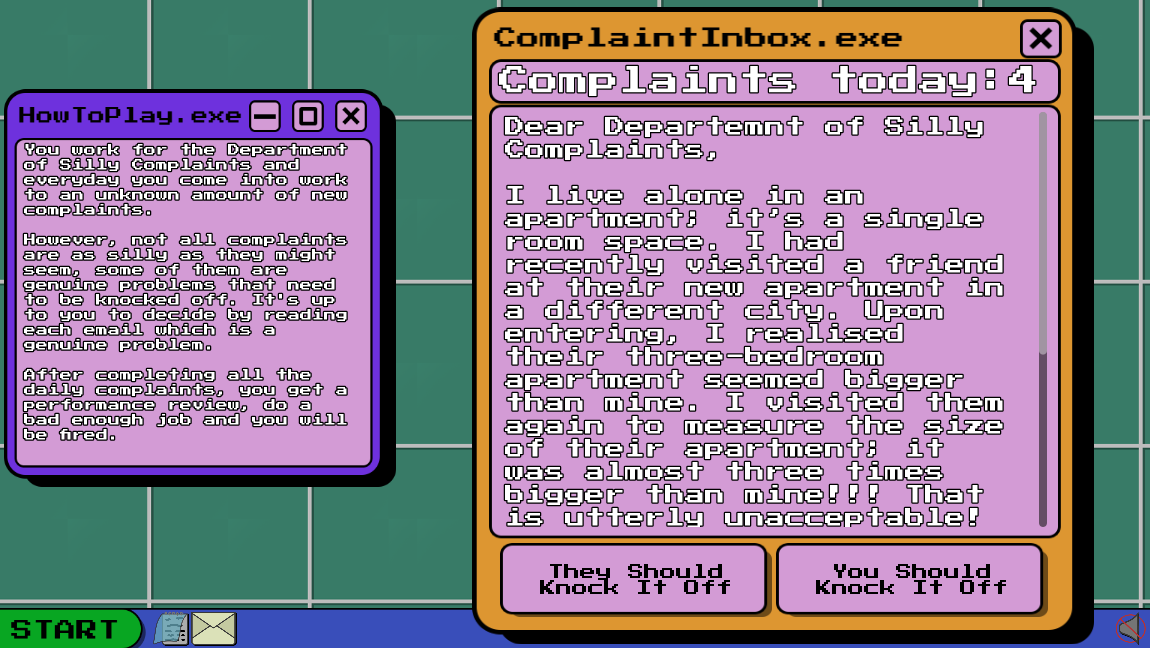
The Department of Silly Complaints was my submission for the 2026 Dink Game Jam, following on from Tony's Pizza. This year, the theme was "knock it off", so I chose to take this a different way than others did. The player takes a job at the Department of Silly Complaints where every shift they must answer complaints from random people. The complaints are mainly silly and ridiculous, and you should tell the complainer to knock it off, but sometimes a complaint isn't as silly as it seems and the issue being complained about is serious, and the people causing the issue should knock it off!
Similarly, to my previous game jams, I took this project as a solo project. This was mainly down to personal commitments that I felt would hold back a team depending on how much they'd need to rely on me. This did mean I had to program and design all the assets myself, which was a really enjoyable experience!
23rd - 25th October 2026
25th October 2026
Released for PC / Windows Platforms and playable in browser using HTML.
When returning to University for my second year, I was super excited to take part in the Dink Jam once again! However, last year I wasn’t partaking in a volunteering role at my local Dog’s Trust on the weekend; because of this, I had already decided that joining the team to design UI or work on a level would mean losing a morning and holding the team back. By this point, I’m more than familiar with working solo on a Game Jam, and with that freedom, I decided to take advantage of Godot once again.
Previously, with the 2026 Global Game Jam and Athena Jam, I had a simple idea in mind and made the theme fit my already existing ideas, but this time, I was going in blind. When we finally reached the night of the Jam, I was looking forward to the theme. I knew from my previous entry that the theme was picked with several ways of interpreting the prompt, and with “knock it off” as the theme, this was once again the case. Having been at university for the whole day, once I knew the theme, I was off home to begin working out a decent idea that I felt would work. Originally, I thought of a game centred around cats, considering that they are notorious for pushing objects off of shelves and desks. Although it wasn't the idea I went with, I was happy that I chose not to go with this idea since 3 other teams ended up creating cat-related games.
As I reached my car, I was putting the theme into different contexts and trying to come up with something different. At the time, I was finding my return to University a little rough, with plenty of things to complain about, and with that in mind, I thought about making a game that centred around complaints, and the player would have to tell the complainee or the thing they were complaining about to knock it off. Although I couldn’t start working, I had the drive home to convince myself of an idea, and I couldn’t take my mind off randomly selected scenarios where the player had to use their judgement to make the right decision. The hard part was making up some genuine complaints that were a pretty unanimous complaint that people could easily agree with without pushing people’s opinions and saying things that would upset people.
The biggest challenge in starting this project was getting back into Godot. I hadn’t touched the engine since Retrofitter back in April, so getting familiar with the techniques, GDScript, and the interface was a definite challenge. Knowing that I was limited on time the following day, I focused heavily on getting the basic functionality down as quickly as possible, creating a map that included the scenarios and the correct outcome and the UI component that would display the complaint on the screen.
The following day, I focused on making the game look a lot more aesthetically pleasing, going for this retro feeling and drawing inspiration from early 2000s Windows UI. I created these assets inside Photoshop, exported them individually and then added them to the assets they were dedicated to. Once the aesthetic was down, my focus was increasing the scenarios I had from 10 to 25, spending the whole evening searching for genuine complaints I found online and using more personal complaints as well.
For the final day, my goal was to get some feedback from the industry members, see if my game was actually enjoyable, and hopefully get myself up for an award. I did receive a good amount of feedback, some small tweaks I could make, but the resounding feedback was that the style was charming it was funny with the silly complaints, and for a solo developer who still managed to volunteer over the weekend was impressive. Unfortunately, I didn’t win an award this year, but I still came out with a really interesting project and something I’m really proud of.
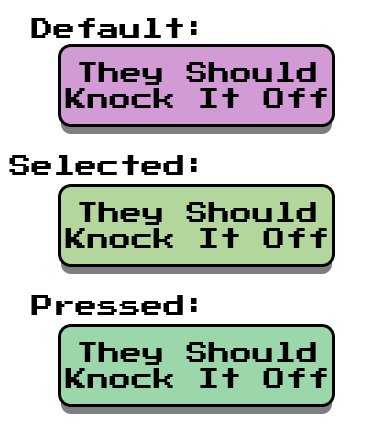
This game primarily relies on User Interface assets, so I took this as a prime opportunity to learn some new skills with user interface in Godot and eventually transfer those skills over to my UI/UX Design module as well. First, I worked on the buttons that feature in the main mechanic of the game. One of the aspects we had recently touched on was making sure the colours we choose, especially on buttons, are something we should heavily consider. With the buttons having three states - default, selected, and pressed - differentiating each state is important, so using the Adobe Colour Wheel, I used a preset that let me pick a main colour and then get complementary colours alongside it. Additionally, I also looked into different ways that I could work on the layout of my UI, experimenting with Horizontal and Vertical boxes to help with keeping everything in line and order. I also experimented with using scroll boxes; when I was writing some of my complaints, the messages were getting lengthy, meaning that I had to scale down the font. However, with the scroll box, this allowed me to increase the font size because the box would scale with the text.
On reflection, this was a prime opportunity for me to test out my current knowledge of creating and designing User Interfaces, but it also gave me the perfect chance to learn some new UI skills inside of Godot and transfer the design skills over to Unreal Engine for the Galactic Conquest Assignment. I still think the UI elements need some refinement with the dedicated designs I created for them, but overall the big takeaway is how beneficial this is to my current module.
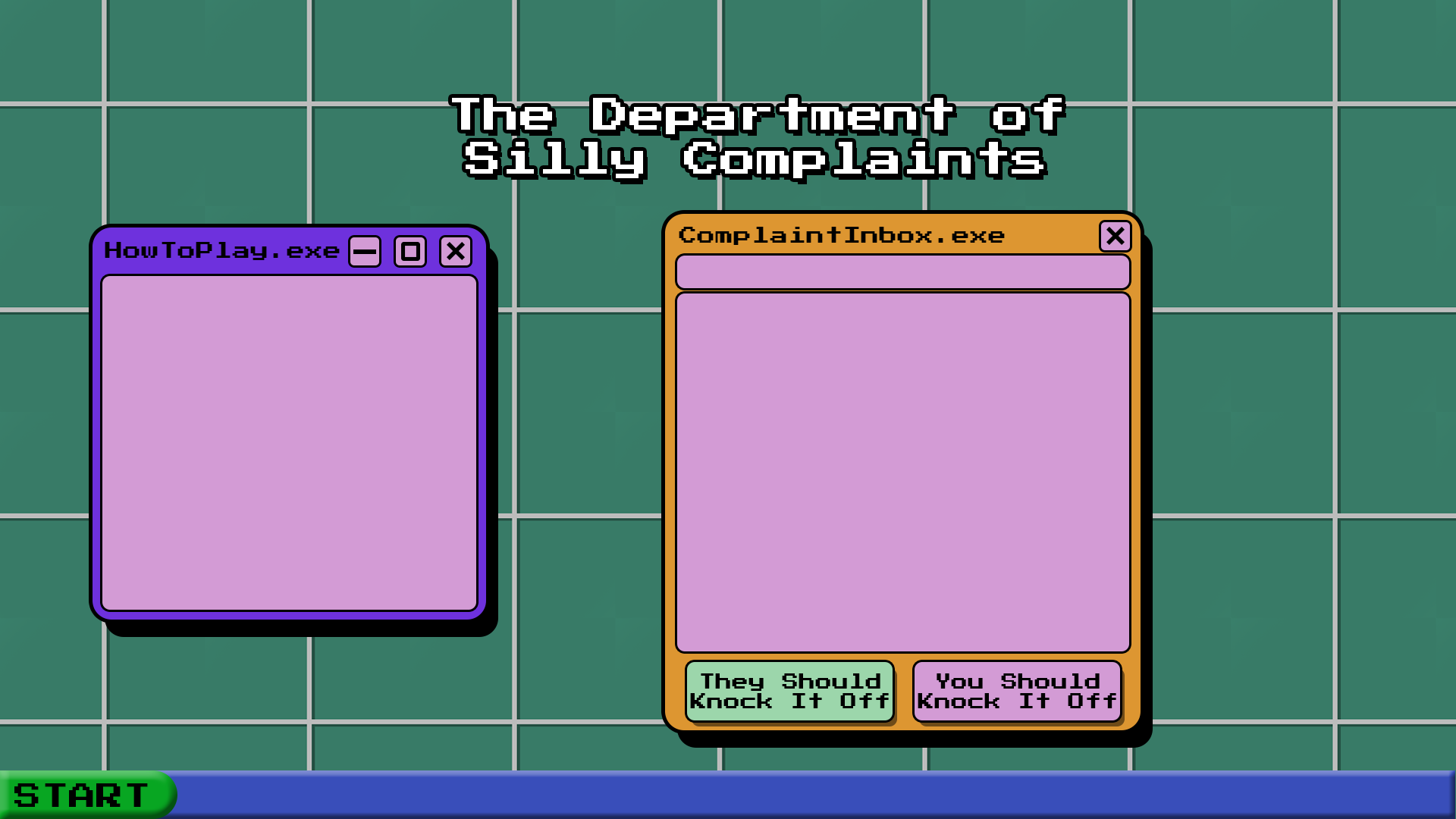
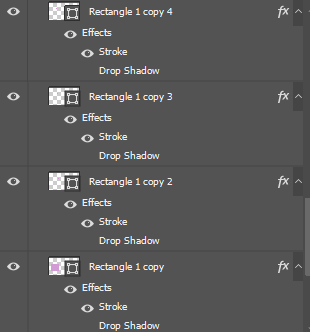
When developing the UI, I didn’t focus on the aesthetics at first, prioritising functionality. When it came to designing my UI, I looked online for some inspiration and settled on bright, vibrant colours with black outlines. I started with a basic shape in Photoshop before using the FX menu to apply a drop shadow and stroke. I also searched for a font that would fit with the design as well. Once I was happy with my designs, I exported them individually and named them accordingly to be placed on my UI elements.
On reflection, this also helped me with putting my designs together for my UI/UX assignment. Understanding how to pick a fitting and readable font, understanding how to stylise my different elements inside Photoshop and make them standout more than a flat image.
To reflect on this project as a whole, I think this is one of my strongest Game Jam projects, down to how fun the complaints can be, the overall aesthetic, and how it has set me up for my actual university assignment. I love how alive and upbeat the game feels, and how this game uses bright colours to keep with that image. I also had a great time playtesting, having someone as young as nine test the game, and although the complaints can be a little lengthy, they completed a whole day, made the correct choices and enjoyed the experience. I also had several people from industry test my game, and they all gave very positive comments about what I had developed. One piece of improvement I did get was having a little pop-up on the screen saying “well done” or “incorrect” when you make a choice on a complaint. I do have sound indicators for this when you select a button, but if you’re playing without sound or headphones, you have no idea until you get your review at the end of the game. I think if I had the time as well, I’d also have added even more complaints than just the 25 already included, and change the complaint document to not include the opening line and sign-off part in every single one to make it easier to add to it. The game also has a mute button for the music, but it keeps all other sounds still playing. If I were to change that, I’d have it open a menu with two sliders to change the music volume and the sound effect volume separately. However, I’m really satisfied with how this project turned out, and I continue to enjoy using Godot for creating and distributing my projects.
I’ve specifically enjoyed using the last few jams to push myself out of my comfort zone, try new software, build up new skills, and ultimately come out with some additional knowledge. University assignments typically push us towards using Unreal Engine to develop our games, and I very nearly used it for this one. Personally, I think Game Jams are a brilliant opportunity to try something new and risky, and potentially fail, because ultimately there is no consequence to not producing a project, unlike if we were to do it for an actual assignment.